
TL;DR

Get garden gear delivered free with Prime
- Fast, free delivery on millions of items
- Prime Video, Amazon Music and more included
- Member-only deals all year
Building an AI workstation used to be cheaper, but recent shortages and prices shifts favor prebuilt systems for many. The real choice now involves speed, control, and total ownership costs, often leaning toward hybrid solutions.
If you’re eyeing an AI workstation, the question isn’t just about cost. It’s about speed, control, and risk. Building your own might have been the obvious choice in the past, but today, with component shortages and skyrocketing prices, the landscape has shifted.
In this guide, we’ll compare the real tradeoffs—cost, time, customization, and support—so you can decide whether to build, buy, or blend both. Because in 2026, the best choice depends less on sticker price and more on what you need to do with your machine.
Build vs buy
an AI workstation.
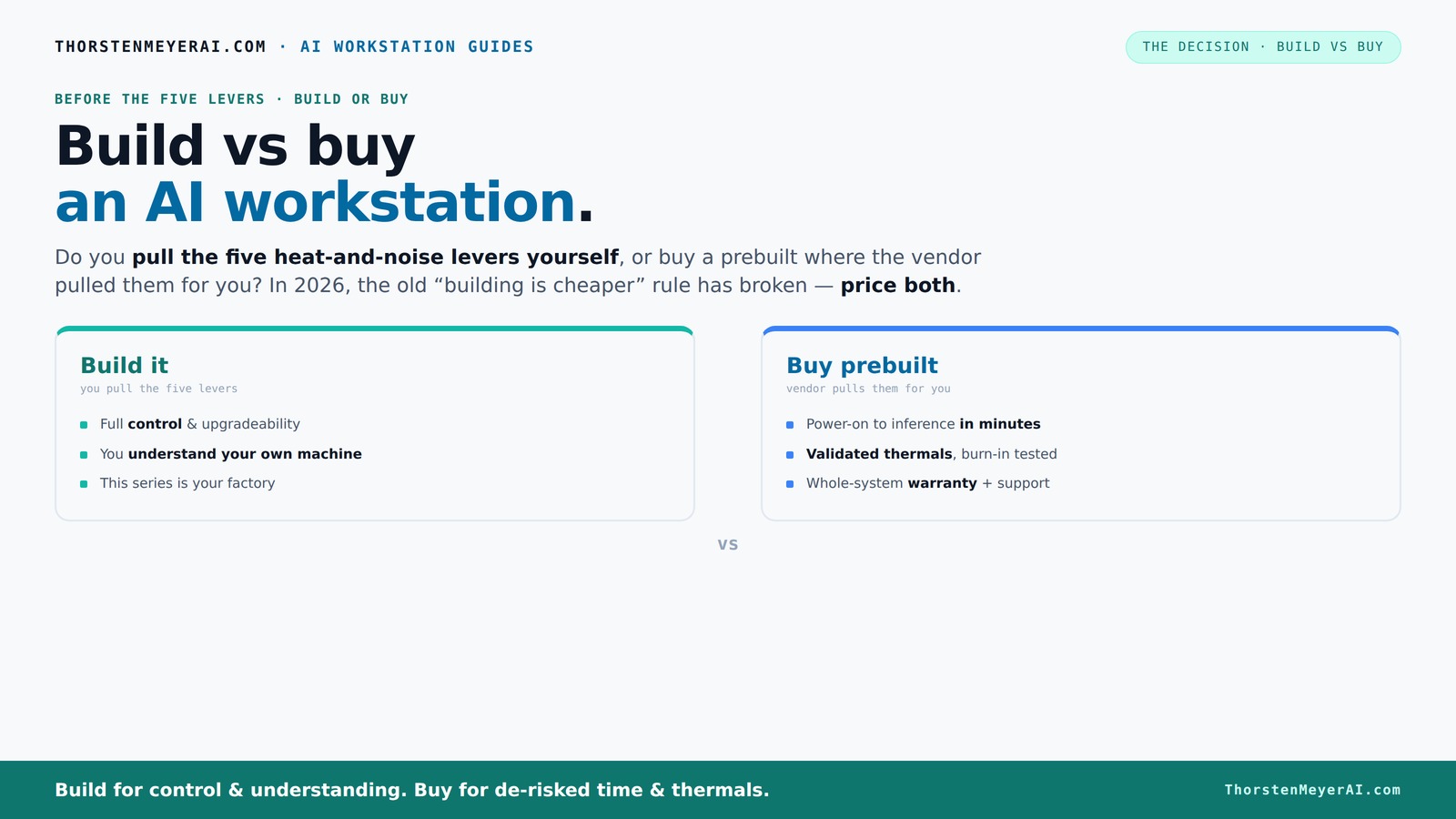
The real question behind this whole series: do you pull the five heat-and-noise levers yourself, or buy a prebuilt where the vendor pulled them for you? And in 2026, the old “building is cheaper” rule has broken. Match your situation in Part 3.
Key Takeaways
- Component shortages and inflation have made buying a prebuilt AI workstation often more cost-effective than building from parts today.
- Vendor systems are pre-validated for thermal performance and noise, reducing setup time and risk—especially critical for multi-GPU setups.
- Building offers unmatched customization for unique hardware, proprietary workflows, or security needs, but at a higher time and expertise cost.
- Hybrid models—buy the hardware, build the custom software or integrations—are becoming the dominant strategy for balancing speed and control.
- Total cost of ownership includes hidden costs like troubleshooting, downtime, and support; evaluate over 3 years for a clearer picture.
As an affiliate, we earn on qualifying purchases.
Why Building Used to Be Cheaper — And Why That’s Changing Now
Building your own AI workstation was once the clear winner on cost. You picked your parts, assembled them, and saved money. But today? Not so much. Build vs Buy a Prebuilt AI Workstation Component shortages and inflation have pushed prices for GPUs, DDR5 RAM, and SSDs through the roof. A build that used to cost around $1,000 now easily exceeds $1,250, even before OS and peripherals.
Meanwhile, big vendors bought components in bulk before prices spiked. As a result, they can offer systems at prices that are often hard to beat when you add up parts and labor. This shift means that the old rule—build cheap, buy expensive—no longer holds. Build vs Buy a Prebuilt AI Workstation
So, the decision is no longer just about saving money. It’s about balancing cost, time, and risk in a market that’s more unpredictable than ever. Whether you’re a hobbyist or a professional, this new landscape demands fresh thinking.
Understanding these market shifts is crucial because they directly influence your strategic decision. Learn more about home and workspace setups If component prices continue to fluctuate unpredictably, building may become more labor-intensive and costly, not just in dollars but in time and effort. Conversely, vendors optimizing their supply chains and manufacturing processes can deliver ready-to-use systems faster and often more reliably, which might be worth the premium for many users.
As an affiliate, we earn on qualifying purchases.
Who Pulls the Levers? Inside the Heat and Noise Game
In 2026, controlling heat and noise in your AI workstation is more than just fan noise—it’s about thermal stability under long, heavy workloads. When you buy a prebuilt, the vendor handles the complex thermal engineering—testing, tuning, and optimizing fan curves. Many use water cooling and custom airflow setups to keep noise low and temperatures steady.
Building your own? You become the thermal engineer. You select a quiet GPU like the RTX 4090 with a custom undervolt, choose a low-noise CPU cooler, and optimize case airflow. It’s a rewarding challenge, but it requires knowledge, patience, and a willingness to tinker.
For example, a system tuned by a vendor like Lambda can run multi-GPU setups with 30% lower noise and better thermal performance than a DIY rig—that’s the difference between a whisper and a jet engine during a long training session.
The implications of thermal management are significant because heat and noise directly affect performance, reliability, and user experience. Explore outdoor cooling solutions Excess heat can throttle performance, reducing computational throughput, while noise can be distracting or even disruptive in work environments. Vendors invest heavily in thermal design and testing, often achieving a balance that DIY systems struggle to match without extensive effort. For users, this means that choosing a prebuilt can lead to more stable, quieter operation, especially in high-load scenarios, whereas DIY builds, while customizable, demand ongoing tuning and monitoring to maintain optimal thermal conditions.
As an affiliate, we earn on qualifying purchases.
Building or Buying? When Speed Wins
If you need your AI system up and running yesterday, buying a prebuilt is your best move. Vendors like BIZON or Puget Systems deliver systems pre-tested with CUDA, TensorFlow, and other stacks ready to go. You power on, and you’re in business—often within days.
Building your own? Expect a timeline of 6 to 12 months. From sourcing parts, assembling, troubleshooting BIOS and driver issues, to tuning and testing, it’s a journey. For some, that delay is a deal-breaker.
Understanding these timelines is critical because it impacts project planning and operational readiness. Find tips on maintaining indoor air quality Rapid deployment can be crucial for startups needing immediate results or for projects with tight deadlines, such as product launches or urgent research initiatives. Conversely, the longer process of building allows for meticulous customization and validation, which is essential for highly specialized applications or environments with strict security and compliance needs. Recognizing the importance of speed versus customization helps you align your hardware acquisition strategy with your organizational priorities.
As an affiliate, we earn on qualifying purchases.
Cost Breakdown: Build vs. Buy in 2026 — The Real Numbers
| Factor | Build | Buy |
|---|---|---|
| Hardware Cost | $1,200–$1,500 (for high-end parts) | $2,000–$3,000 (vendor systems often include premium cooling and validation) |
| Labor & Assembly | $200–$400 (your time or hiring help) | Included in price |
| Testing & Tuning | On you or your team, time-consuming | Pre-validated by vendor, often with thermal tuning |
| Support & Warranty | Own support, troubleshooting, and repairs | Vendor-backed, often 3–5 years |
| Operational & Maintenance | Energy costs, future upgrades, repairs | Included or limited; vendor support for upgrades |
Over three years, a prebuilt may cost more upfront but could save you thousands in downtime, troubleshooting, and maintenance. Visit our interior design and home setup tips Plus, the time saved often outweighs the price difference, especially in fast-paced AI work. Considering total cost of ownership is critical because hidden costs—like ongoing troubleshooting, system downtime, and support—can significantly inflate the true expense of DIY solutions. A prebuilt system’s comprehensive warranty and support can mitigate these risks, providing peace of mind and reducing unexpected expenses over the lifecycle of the machine. This holistic view ensures you’re not just comparing initial prices but making a strategic choice aligned with long-term operational stability.
When Customization Is Critical — Build It Yourself
If your AI project needs a unique setup—like custom hardware, specific thermal tweaks, or proprietary integrations—building becomes more attractive. You pick a quiet GPU like the [quiet GPU options](https://thorstenmeyerai.com/quiet-gpus-local-ai/), undervolt it for less heat, and design a cooling system that fits your space and noise requirements.
For example, if you’re developing a multi-GPU system for real-time inference, you might want water cooling and custom airflow, which most vendors don’t offer out of the box. Building allows you to tailor every detail—at a cost of time and expertise. This level of customization can be crucial for specialized workflows that demand precise thermal or acoustic profiles, or proprietary hardware integration that vendors may not support. While the process is more complex, the resulting system can deliver performance and security tailored exactly to your needs, which is often worth the additional effort and skill required.
Security, Compliance, and Control — Why Build Matters
For sensitive workloads involving regulated data, building your own system can offer tighter control. You can air-gap it, customize security protocols, and ensure no third-party access—vital for government, defense, or healthcare AI projects.
While vendors offer enterprise-grade security, some organizations prefer the full ownership and oversight that only building provides. It’s a tradeoff between convenience and control—sometimes critical for compliance or data sovereignty. Building your own system allows you to implement customized security measures, such as hardware encryption modules, physical isolation, and strict access controls, which might be limited or less flexible in vendor solutions. This level of control is essential when dealing with highly sensitive data, where compliance standards demand strict security protocols that can be tailored and verified independently, reducing reliance on third-party assurances and increasing trustworthiness of the infrastructure.
Imagine a hospital running patient data on a local, custom-built AI server that’s never connected to the internet. That’s a level of security that’s tough to match with a cloud or vendor-managed system.
The Hybrid Approach: The Best of Both Worlds
In 2026, many organizations are choosing a hybrid model: buy the base hardware and build custom workflows or integrations on top. This approach taps into the quick deployment of prebuilt systems while still enabling bespoke AI solutions.
For instance, a company might buy a validated GPU server, then develop proprietary inference pipelines or data connectors that give them a competitive edge. This reduces the time to deploy while keeping control over core AI capabilities.
According to recent enterprise guidance, this hybrid approach is becoming the standard, especially as vendors add more built-in orchestration, governance, and compliance features—reducing the need to fully build from scratch. This strategy allows organizations to accelerate their AI initiatives without sacrificing the ability to customize or control critical aspects, effectively balancing speed with specialization. The trend indicates that hybrid models will increasingly dominate the landscape, offering scalable, flexible, and secure solutions tailored to complex enterprise needs.
Frequently Asked Questions
Is it cheaper to build or buy a prebuilt AI workstation?
While building used to be cheaper, recent shortages and price hikes mean prebuilt systems often match or beat DIY costs today. Consider total ownership costs, not just initial price.How much faster is buying than building?
Prebuilt systems can be up and running within days, whereas building a custom rig might take 6 to 12 months, depending on sourcing and complexity.What hidden costs come with building my own AI workstation?
Hidden costs include time spent troubleshooting, testing, thermal tuning, ongoing maintenance, and potential downtime. These add up over the system’s lifecycle.How much customization do I lose if I buy?
Buying limits your ability to modify hardware and optimize thermals. If your AI needs proprietary hardware, specific cooling, or security measures, building may be better.When does building make more sense than buying?
If your project involves proprietary hardware, highly sensitive data, or requires a specific configuration not available commercially, building can give you the control you need.Conclusion
In 2026, the choice between build and buy isn’t just about initial price—it’s about speed, control, and long-term ownership. If you need rapid deployment and proven reliability, a prebuilt system often wins. But if your project demands total customization or security, building your own might still make sense.
Remember, hybrid approaches are on the rise, blending the best of both worlds. The key is to align your decision with your project’s unique needs, timeline, and risk appetite. Your perfect AI workstation is less a question of dollars and more a matter of strategy.
Fall yard work Picks
leaf blowers
As an affiliate, we earn on qualifying purchases.