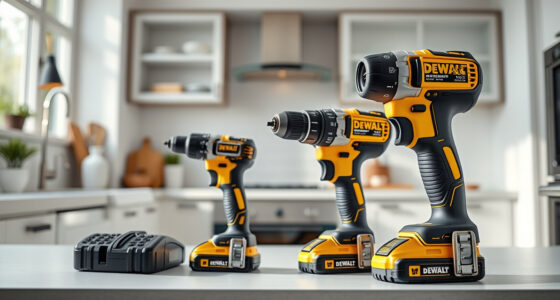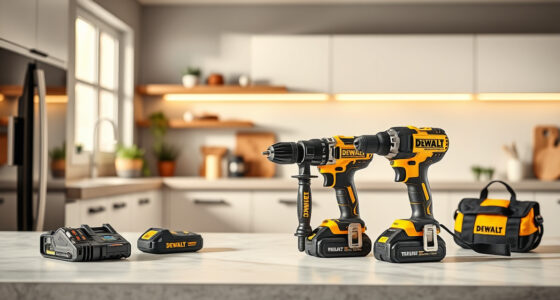
Keeping your DEWALT brushless drill in top condition is essential for reliable performance and durability. Over time, dust, debris, and grease can accumulate, affecting the drill’s operation. Regular cleaning not only maintains efficiency but also ensures safety during use.
Open a free Amazon Business account
Business pricing, bulk buying and tax-exempt orders.
Create a free accountAs an affiliate, we earn on qualifying purchases.
Follow these clear, step-by-step instructions to clean your DEWALT drill properly without risking damage or voiding warranties.
Key Takeaways
| Safety First | Always disconnect the battery before cleaning. |
| Use Proper Tools | Soft brushes and compressed air are recommended. |
| Avoid Moisture | Keep liquids away from the motor and electrical parts. |
| Regular Maintenance | Clean after heavy use or exposure to dust. |
Preparation Before Cleaning
- Ensure the drill is turned off and remove the battery to prevent accidental activation.
- Place the drill on a stable surface in a well-lit area.
- Gather cleaning tools: a soft brush, compressed air can, a microfiber cloth, and a mild cleaning solution if needed.
Cleaning the Exterior
- Use a dry microfiber cloth to wipe down the entire exterior, removing dust and dirt.
- For stubborn grime, dampen the cloth lightly with water or a mild cleaning solution. Avoid harsh chemicals.
- Pay special attention to the vent areas and the LED light, gently clearing dust buildup.
Cleaning the Vent and Motor Areas
Use compressed air to blow out dust from the vent openings and around the motor housing. Hold the can upright and keep the nozzle a few inches away to prevent moisture from entering. Do not insert anything into the vents.
Maintaining the Chuck and Gear
- Use a soft brush to remove debris from the chuck and gear mechanisms.
- If grease has become dirty or sticky, lightly wipe with a cloth dampened with a small amount of cleaning solution. Do not overapply or allow liquids to enter the drill.
Final Inspection and Storage
Check that all parts are clean and dry before reassembling the battery. Store the drill in a dry, cool place, away from dust and moisture to prolong its lifespan.
The Products in This Guide

DEWALT 20V MAX Cordless Drill Driver Set
- ✔ Weight: 3.3 lbs
- ✔ Chuck: 1/2 inch ratcheting
- ✔ Speed: 2-speed

DEWALT Drill Bit Set
- ✔ Size Range: from small to large
- ✔ Durability: High
- ✔ Compatibility: All 3-flat shank drills
DEWALT 20V MAX Cordless Drill Driver Set
The DEWALT 20V MAX Cordless Drill Driver Set is a versatile and robust tool that benefits from regular cleaning to maintain optimal performance. Properly cleaning your drill ensures it stays in great condition for ongoing use.
Pros:
- Easy to clean exterior and vents
- Helps prevent overheating
- Maintains motor efficiency
- Prolongs tool lifespan
Cons:
- Requires careful handling of electrical parts
- Avoid using excessive moisture
- Regular cleaning needed to prevent buildup
Best for: DIY enthusiasts and professional contractors who want reliable, long-lasting tools.
Not ideal for: Heavy exposure to water or chemicals can damage internal components.
Bottom line: Routine cleaning preserves your DEWALT drill’s performance and extends its service life.
DEWALT Drill Bit Set
Pair your drill with this DEWALT Drill Bit Set to ensure precise drilling and easy maintenance of your bits, which also benefits from regular cleaning and care.
Pros:
- High-quality steel bits
- Split point design reduces walking
- Corrosion-resistant coating
- Variety of sizes
Cons:
- Bits may wear over time
- Limited to drilling tasks
- Requires proper storage
Best for: Home improvement projects and professional use requiring durable drill bits.
Not ideal for: Not suitable for heavy-duty industrial applications.
Bottom line: A reliable set that complements your DEWALT drill, especially with proper bit maintenance.
Frequently Asked Questions
Can I use water to clean my DEWALT drill?
It’s best to avoid using water directly on the drill. Use a damp cloth and compressed air to clean dust and debris, keeping liquids away from the motor and electrical parts.
How often should I clean my DEWALT drill?
Clean your drill after heavy use, exposure to dust, or when you notice performance issues. Regular cleaning every few months can also help maintain optimal function.
Is it safe to use compressed air to clean the motor vents?
Yes, compressed air is safe if used carefully. Keep the can upright and hold it a few inches away to avoid moisture entry and damage.
What should I do if my drill is still not working properly after cleaning?
If cleaning doesn’t resolve the issue, check for other problems such as worn brushes, battery issues, or mechanical faults, and consider professional servicing.
Keep Your DEWALT Drill in Peak Condition
Regularly cleaning your DEWALT brushless drill is a simple yet vital maintenance step that ensures its longevity and reliable performance. By following these step-by-step instructions, you can prevent overheating, dust accumulation, and mechanical issues, keeping your tool ready for any job.
Investing a few minutes in cleaning can significantly extend the life of your drill, saving you money and effort in the long run.
Affiliate disclosure: As an Amazon Associate we earn from qualifying purchases. Prices and availability are accurate as of the time of publishing.
Flea & tick season Picks
flea and tick prevention
As an affiliate, we earn on qualifying purchases.