Digital fabrication uses advanced tools like 3D printing and laser cutting to quickly transform your ideas into physical objects. It streamlines the creation process, making prototyping and small batch production faster and more accessible. By selecting the right materials and optimizing your design, you can enhance quality and reduce waste. Understanding these techniques helps you innovate more efficiently. Keep exploring to discover how these methods can open your creative potential even further.

Get garden gear delivered free — and shop member deals
- Fast, free delivery on millions of items
- Access to Prime Big Deal Days deals on October 6–7
- Prime Video, Amazon Music and more included
Key Takeaways
- Digital fabrication uses computer-controlled tools like 3D printers and laser cutters to turn digital designs into physical objects.
- 3D printing builds objects layer-by-layer using materials such as plastics, resins, or metals.
- Laser cutting employs focused laser beams to precisely cut or engrave various materials like wood, acrylic, or fabric.
- The process enables rapid prototyping, customization, and small batch production, accelerating innovation.
- Material selection and design optimization are crucial for ensuring quality, strength, and efficient manufacturing outcomes.
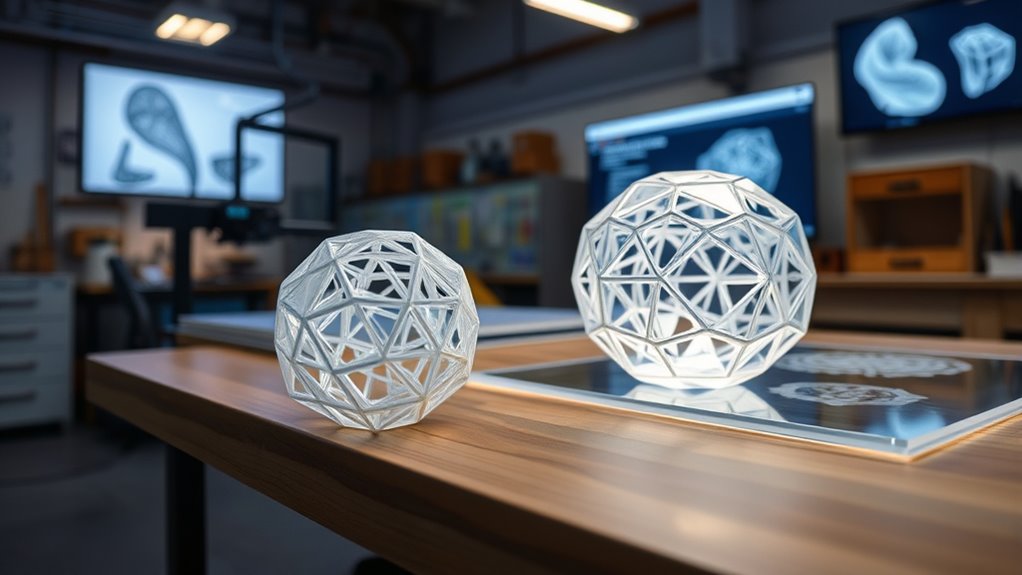
Have you ever wondered how modern manufacturing transforms ideas into tangible objects so quickly? Digital fabrication, especially through 3D printing and laser cutting, makes this possible by streamlining the creation process. When you start a project, the first essential step involves material selection. Choosing the right material isn’t just about appearance; it impacts the strength, flexibility, and durability of your final product. For instance, if you’re designing a lightweight prototype, you might opt for plastics like ABS or PLA. For parts needing heat resistance, materials like nylon or certain resins come into play. Material selection guides the entire fabrication process, ensuring your design performs as intended once produced. It’s important because incompatible materials can result in failures, warping, or unmet expectations. Once you’ve picked the appropriate material, the next step is design optimization. This involves refining your digital model to maximize efficiency and functionality. Design optimization is about removing unnecessary features, reducing material waste, and enhancing structural integrity. Through digital tools, you can simulate stresses and identify weak points before any physical work begins. This process saves time and resources, allowing you to perfect your design for the specific manufacturing method you’re using—be it 3D printing or laser cutting. With 3D printing, design optimization might mean adding support structures or adjusting wall thicknesses to improve print quality and speed. For laser cutting, it could involve simplifying complex shapes or nesting multiple parts within a single sheet to minimize material waste. When you optimize your design, you’re fundamentally making it easier and more cost-effective to manufacture, while also ensuring it meets your functional requirements. Digital fabrication tools enable you to iterate quickly, testing different configurations without wasting material or time. This iterative process allows you to refine your concept into a precise, manufacturable product with minimal guesswork. As you proceed, understanding how material properties influence the design is vital; some materials need thicker walls to prevent cracking, while others allow for delicate, intricate features. By carefully considering material selection and design optimization together, you create a seamless progression from digital idea to physical object. This synergy accelerates innovation, giving you the ability to produce prototypes, customized parts, or small batch runs efficiently. Additionally, understanding the material properties and their impact on the fabrication process can help prevent issues like warping or layer separation. Ultimately, digital fabrication empowers you to turn your concepts into reality faster, smarter, and with greater control. It’s about making thoughtful choices early on—selecting the right materials and fine-tuning your designs—so that your final product not only looks great but performs reliably. This combination of strategic planning and advanced technology is what drives the future of manufacturing, making it accessible, flexible, and highly responsive to your creative vision.
As an affiliate, we earn on qualifying purchases.
Frequently Asked Questions
What Materials Are Compatible With 3D Printing and Laser Cutting?
You can use a variety of materials for 3D printing and laser cutting, like plastics such as ABS, PLA, and acrylic, which offer great material compatibility. These materials also provide excellent design flexibility, allowing you to create complex shapes and detailed features. Metals, woods, and certain composites are compatible too, enabling diverse project options. Always check specific material properties to guarantee ideal results and safety in your digital fabrication projects.
How Cost-Effective Are Digital Fabrication Methods for Small Projects?
Digital fabrication methods can be cost-effective for small projects if you conduct a thorough cost analysis, considering material costs, machine time, and labor. You’ll find that 3D printing and laser cutting offer scalability considerations—quickly adjusting production volumes without significant expenses. While initial investments may seem high, these methods save money on prototypes and small runs, making them practical and economical options for your small projects when managed efficiently.
What Safety Precautions Should Be Taken During Laser Cutting?
Did you know laser cutting can produce fumes harmful enough to cause health issues? You should always wear eye protection to shield your eyes from laser beams and debris. Additionally, make certain proper ventilation safety by working in well-ventilated areas or using exhaust systems. Never bypass safety features or leave the laser unattended. Taking these precautions keeps you safe while enjoying the precision and efficiency of laser cutting.
Can Digital Fabrication Techniques Be Used for Mass Production?
Yes, digital fabrication techniques can be used for mass production, but you’ll face scaling challenges. While 3D printing and laser cutting excel at customization potential, they may struggle with high-volume output efficiently. To overcome this, you might need to optimize workflows or combine methods. This allows you to maintain the benefits of personalized designs while increasing production capacity, making digital fabrication more viable for larger-scale manufacturing.
What Software Tools Are Recommended for Designing for 3D Printing and Laser Cutting?
You should explore CAD software like Fusion 360, Tinkercad, or SketchUp for designing for 3D printing and laser cutting. These tools support parametric modeling, allowing you to easily modify designs. Fusion 360, in particular, offers powerful features for precise control, making it ideal for complex projects. Tinkercad is user-friendly for beginners, while SketchUp provides versatile options for both 3D modeling and detailed laser-cut designs.
As an affiliate, we earn on qualifying purchases.
Conclusion
As you step back from your creations, remember that digital fabrication is like planting seeds in a digital garden. Each design you craft is a seed of innovation, waiting to grow into something tangible and meaningful. With every layer printed and cut, you’re nurturing ideas into reality. Embrace this process as your tool to shape the future—where your imagination becomes the guiding sun and your skills, the fertile soil that brings dreams to life.
As an affiliate, we earn on qualifying purchases.
As an affiliate, we earn on qualifying purchases.
Evergreen bestsellers Picks
bestsellers
As an affiliate, we earn on qualifying purchases.