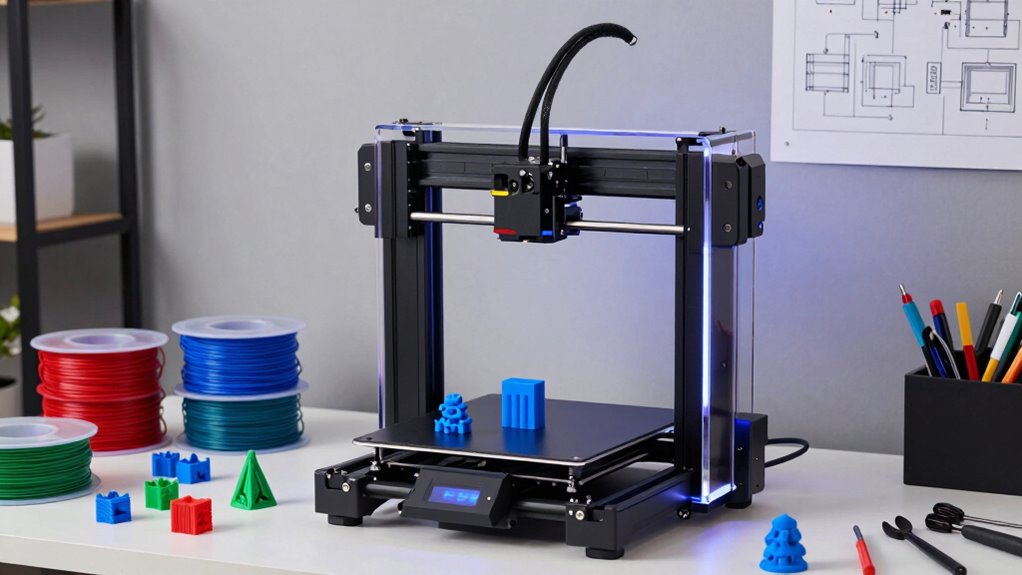
Starting with 3D printing can be exciting but also overwhelming given the options available. For beginners, choosing a model that balances ease of use, reliability, and price is key. The Bambu Lab A1 Mini stands out for its simple setup and quiet operation, perfect for those new to 3D printing. The Entina Tina2C offers a kid-friendly, fully assembled experience with WiFi control, making it ideal for families or educational use. Meanwhile, the Bambu Lab P1S combines high-speed and multi-material capabilities in a ready-to-use package but might be better suited for users ready to explore more advanced features. Each of these picks presents tradeoffs between features, ease, and cost, which I’ll clarify below.

Get garden gear delivered free with Prime
- Fast, free delivery on millions of items
- Prime Video, Amazon Music and more included
- Member-only deals all year
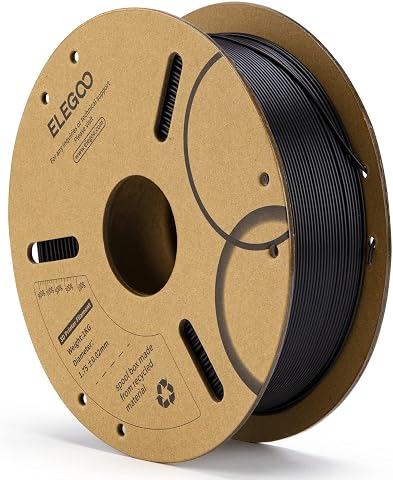
Complete the kit


Key Takeaways
- The Bambu Lab A1 Mini is best for users seeking a compact, quiet, and easy-to-operate printer with creative potential.
- Entina Tina2C is ideal for kids and beginners wanting a fully assembled, WiFi-enabled printer for educational or home projects.
- Bambu Lab P1S offers advanced multi-color and multi-material printing, suited for users ready to expand beyond basic features.
- Tradeoffs include size, print volume, and complexity—more features often mean higher cost or steeper learning curves.
- All models have limitations, whether in print size, connectivity, or filament compatibility, which should guide your choice based on your needs.
| Bambu Lab A1 Mini 3D Printer + LED Lamp Kit, Beginner-Friendly |  | Best Overall for Ease and Creativity | Product Dimensions: 15.21 x 16.77 x 17.94 inches | Item Weight: 12.1 pounds | VIEW ON AMAZON | See Our Full Breakdown | |
| Entina Tina2C 3D Printer for Kids & Beginners, Fully Assembled Mini 3D Printer with App & WiFi Control |  | Best for Kids & Educational Use | Product Dimensions: 8 x 6.5 x 10 inches | Item Weight: 5.28 pounds | Print Volume: 3.9 x 3.9 x 3.9 inches | VIEW ON AMAZON | See Our Full Breakdown |
| Bambu Lab P1S 3D Printer, Ready-to-Use FDM 3D Printer |  | Best for Multi-Material and Speed | Product Dimensions: 15.31 x 18.03 x 15.31 inches | Item Weight: 38.9 pounds | VIEW ON AMAZON | See Our Full Breakdown | |
| FLASHFORGE Adventurer 5M 3D Printer with Auto Leveling and High-Speed Printing |  | Best for Speed and Rapid Prototyping | Print Size: 220x220x220mm | Max Speed: 600mm/s | Extruder Temperature: 280°C | VIEW ON AMAZON | See Our Full Breakdown |
| Bambu Lab P1S Combo 3D Printer with Multi-Color Printing and Auto Bed Leveling |  | Best for Advanced Features in a Beginner Setup | Product Dimensions: 15.31 x 18.03 x 15.31 inches | Item Weight: 47.5 pounds | Maximum Speed: 500mm/s | VIEW ON AMAZON | See Our Full Breakdown |
| 3d printer for beginner | Item Weight | Product Dimensions |
|---|---|---|
| Bambu Lab A1 Mini 3D Printer + | 12.1 pounds | 15.21 x 16.77 x 17.94 inches |
| Entina Tina2C 3D Printer for K | 5.28 pounds | 8 x 6.5 x 10 inches |
| Bambu Lab P1S 3D Printer | 38.9 pounds | 15.31 x 18.03 x 15.31 inches |
| FLASHFORGE Adventurer 5M 3D Pr | 22 pounds | — |
| Bambu Lab P1S Combo 3D Printer | 47.5 pounds | 15.31 x 18.03 x 15.31 inches |
More Details on Our Top Picks
Bambu Lab A1 Mini 3D Printer + LED Lamp Kit, Beginner-Friendly
The Bambu Lab A1 Mini emphasizes simplicity and quiet operation, making it a top choice for beginners who want a hassle-free experience. Its compact size and straightforward setup mean you can start printing quickly, and the included LED lamp kit adds a creative touch for decorative projects. It supports an ecosystem with app control, which helps manage prints easily. Compared to larger or more complex models, this printer prioritizes reliability and user-friendliness, though it sacrifices some advanced features like multi-material support. Its main tradeoff is the limited detailed specs and higher price point for a mini model.
Pros:- Easy to set up and use
- Includes LED lamp kit for creative projects
- Supports app-based management
- Quiet and reliable operation
Cons:- Limited detailed specifications
- Price and availability may vary
Best for: Beginners interested in home décor or personalized gifts who prefer a quiet, compact device.
Not ideal for: Users wanting large print volumes or multi-material capabilities.
- Product Dimensions:15.21 x 16.77 x 17.94 inches
- Item Weight:12.1 pounds
- First Available:February 28, 2026
Our verdict“A well-rounded, beginner-friendly option for those seeking simplicity and creative potential.”
Entina Tina2C 3D Printer for Kids & Beginners, Fully Assembled Mini 3D Printer with App & WiFi Control
The Entina Tina2C stands out for its fully assembled design and kid-friendly features, including auto-leveling and self-cleaning nozzles. Its small size makes it suitable for home or classroom use, and WiFi plus offline printing support add flexibility for users learning the ropes of 3D creation. While the print volume is modest, that’s usually enough for small projects and prototypes. The main tradeoff is its limited build size and occasional connectivity issues, which can frustrate users expecting seamless operation. Still, this model simplifies the process for beginners and young learners.
Pros:- Easy setup and operation
- Auto-leveling and self-cleaning nozzle
- Supports WiFi and offline printing
- Compact size for home/classroom
Cons:- Limited print volume
- Requires app setup
- Occasional connectivity issues
Best for: Parents, educators, or beginners wanting an easy, safe, and educational 3D printing experience.
Not ideal for: Those seeking larger print projects or advanced filament options.
- Product Dimensions:8 x 6.5 x 10 inches
- Item Weight:5.28 pounds
- Print Volume:3.9 x 3.9 x 3.9 inches
- Supported OS:Windows, macOS, Linux, Chromebook
Our verdict“A straightforward, safe choice for newcomers and young learners exploring 3D printing.”
Bambu Lab P1S 3D Printer, Ready-to-Use FDM 3D Printer
The Bambu Lab P1S offers a significant upgrade for beginners ready to explore multi-material or multi-color printing. Its high-speed capabilities and automatic bed leveling make it easier to produce high-quality prints quickly. The enclosed design adds quality control by maintaining stable temperatures, which benefits beginners trying to avoid common issues like warping. The main tradeoff is its weight and the need to connect to the Bambu Lab AMS for multi-color features—adding complexity and cost. Compared to smaller models, it’s better suited for users ready to grow into more advanced projects.
Pros:- Supports multi-color/multi-material printing
- High-speed up to 500mm/s
- Automatic bed leveling
- Enclosed for quality control
Cons:- Requires Bambu Lab AMS for multi-color
- Heavy at 38.9 pounds
- Some filament types not recommended
Best for: Beginners who want to experiment with multi-color and multi-material prints without a steep learning curve.
Not ideal for: Those on a tight budget or with limited space, given its weight and setup needs.
- Product Dimensions:15.31 x 18.03 x 15.31 inches
- Item Weight:38.9 pounds
- Supported Filaments:PLA, PETG, TPU, PVA, PET, ABS, ASA
Our verdict“A versatile, beginner-friendly choice for exploring multi-material projects with speed.”
FLASHFORGE Adventurer 5M 3D Printer with Auto Leveling and High-Speed Printing
The FLASHFORGE Adventurer 5M emphasizes quick setup and high-speed printing, making it suitable for users needing fast results. Its auto-leveling feature simplifies initial calibration, and the 600mm/s speed can significantly cut down production time. The direct drive extruder handles a variety of filaments, but the customer rating suggests some mixed experiences with long-term reliability. This printer suits those who want rapid turnaround and are comfortable with some complexity in setup, but perhaps not ideal for absolute beginners seeking a plug-and-play experience.
Pros:- Auto bed leveling
- High-speed up to 600mm/s
- Quick nozzle swaps
- Remote monitoring via app
Cons:- Mixed reviews on reliability
- Potential complexity for new users
- Limited detailed feedback on durability
Best for: Users interested in quick prototypes or creative projects with faster turnaround times.
Not ideal for: Beginners who prefer simplicity over high-speed features or those wary of potential setup challenges.
- Print Size:220x220x220mm
- Max Speed:600mm/s
- Extruder Temperature:280°C
- Item Weight:22 pounds
Our verdict“A powerful option for enthusiasts who prioritize speed but may require patience during setup.”
Bambu Lab P1S Combo 3D Printer with Multi-Color Printing and Auto Bed Leveling
The Bambu Lab P1S Combo combines the speed and multi-material support of the P1S with a multi-color capability of up to 16 colors, making it a compelling choice for those seeking creative flexibility. Its quick assembly and automatic bed leveling ease beginners into more complex projects, but the weight and need for the Bambu Lab AMS unit add some logistical considerations. For users looking to grow into multi-color and multi-material printing, this model offers a robust platform—though it’s less portable and more costly than simpler options.
Pros:- High-speed and multi-color support
- Automatic bed leveling
- Enclosed design for stability
- Quick setup within 15 minutes
Cons:- Heavy and less portable
- Limited filament compatibility for advanced materials
- Requires Bambu Lab AMS for multi-color
Best for: Beginners ready to explore advanced multi-color and multi-material printing with minimal complexity.
Not ideal for: Those on a tight budget or seeking a simple, basic 3D printer for occasional use.
- Product Dimensions:15.31 x 18.03 x 15.31 inches
- Item Weight:47.5 pounds
- Maximum Speed:500mm/s
- Auto Bed Leveling:Yes
Our verdict“A versatile, feature-rich choice for beginners who want to expand into multi-color printing without high complexity.”

How We Picked
Our selection process focused on printers explicitly designed for beginners, prioritizing ease of setup, reliability, and supportive features. We examined customer reviews, setup complexity, and included models that offer good value for first-time users. We also considered the versatility of the printers—whether they support multiple filament types or have additional creative features—and balanced these against price and footprint. The goal was to identify options that help new users succeed without overwhelming them with technical details or high costs.
Factors to Consider When Choosing 3d Printer For Beginners
Choosing a 3D printer for beginners involves balancing ease of use, initial setup, print quality, and future expansion potential. The right choice depends on your specific goals—whether you want a simple device for small projects or a versatile platform to learn more advanced techniques. Here are key factors to consider:Ease of Use and Setup
For beginners, a printer that offers automatic bed leveling, straightforward assembly, and minimal calibration is essential. Models like the Entina Tina2C excel here, providing a fully assembled experience with WiFi control, reducing the learning curve for first-time users.
Print Volume and Size
Consider how large your projects might be. If you plan to print larger objects, opt for a model with a bigger build volume. Smaller compact printers like the Entina Tina2C are ideal for small, detailed projects, while others like the P1S support larger prints with more advanced features.
Feature Set and Expansion
Beginners should look for models with features that support growth, such as multi-material or multi-color printing, auto-leveling, and WiFi connectivity. These features make the learning process smoother and allow for more creative projects over time.
Price and Future Costs
While affordability is important, consider the total cost of ownership, including filament, maintenance, and optional upgrades like multi-material modules. High-end models like the P1S Combo offer more capabilities but come with higher initial costs.
Frequently Asked Questions
What is the easiest 3D printer for a complete beginner?
The Entina Tina2C stands out as the easiest option due to its fully assembled design, auto-leveling, and WiFi support. It requires minimal setup and is designed with safety and simplicity in mind, making it ideal for first-time users or young learners.
Can I print large objects with these beginner models?
Most beginner-friendly printers, including the Entina Tina2C and Bambu Lab A1 Mini, have limited build volumes suitable for small to medium projects. For larger prints, models like the P1S and P1S Combo offer bigger sizes but may introduce additional complexity and cost.
Are multi-color or multi-material features necessary for beginners?
Not necessarily. For newcomers, focusing on single-material, single-color printers simplifies the process. However, if you plan to experiment with multi-color or multi-material projects early on, models like the P1S or P1S Combo provide those features with manageable learning curves.
How important is auto-leveling for beginners?
Auto-leveling significantly reduces setup time and errors, making it one of the most helpful features for beginners. It ensures the print bed is properly calibrated, which directly impacts print quality and success rate, especially for those unfamiliar with manual calibration.
What should I consider about filament compatibility?
Most beginner models support standard filaments like PLA, which are easy to work with. More advanced filaments such as ABS or flexible materials may require specific extruders or enclosures. If you want to stick with simple, reliable options, choose a printer that supports common filaments like PLA and PETG.
Conclusion
If you’re new to 3D printing and prioritize simplicity, quick setup, and creative potential, the Bambu Lab A1 Mini is an excellent choice. For families or educators focusing on safe, educational projects, the Entina Tina2C offers a straightforward, fully assembled experience. Those ready to explore more advanced features like multi-color or multi-material printing should consider the Bambu Lab P1S or P1S Combo, which support growth into more complex projects but come with a steeper learning curve and higher price. Ultimately, your decision should reflect your current skill level, project ambitions, and budget.
Fall yard work Picks
leaf blowers
As an affiliate, we earn on qualifying purchases.