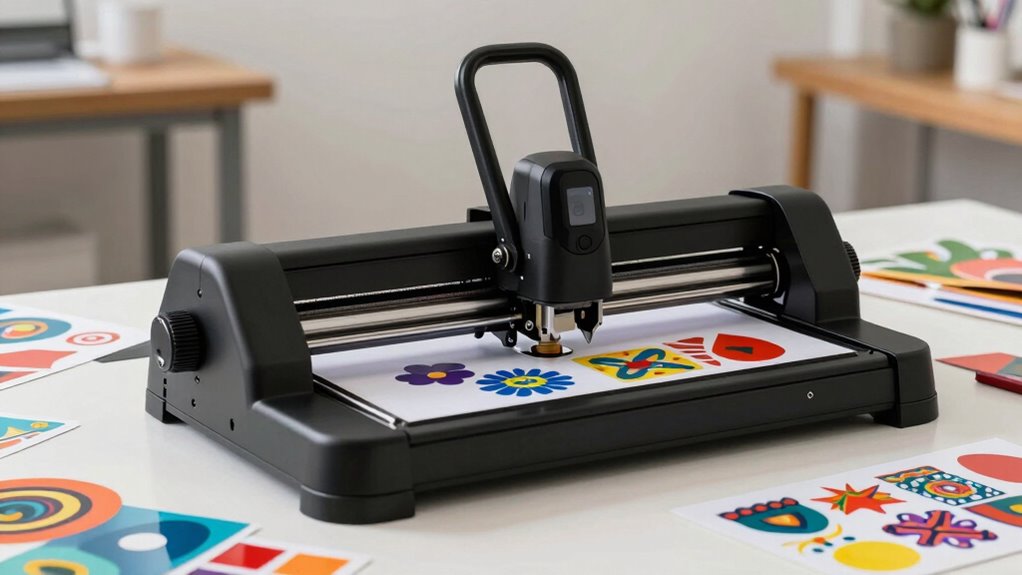

When searching for a cutting machine for crafts, the key considerations are versatility, ease of use, and compatibility with various materials. The Cricut Explore 5 stands out as the best overall choice thanks to its advanced features and user-friendly interface. For those on a budget, the Cricut Joy 2 Essential Bundle offers excellent value, while the USCutter Vinyl Cutter is ideal for larger-scale projects. Keep in mind that tradeoffs often involve balancing size, complexity, and price. Continue reading for a detailed breakdown of each option and what makes them suitable for different crafters.

Get garden gear delivered free with Prime
- Fast, free delivery on millions of items
- Prime Video, Amazon Music and more included
- Member-only deals all year
Complete the kit


Key Takeaways
- The top-ranked Cricut Explore 5 combines versatility and ease of use, making it suitable for both beginners and experienced crafters.
- Budget-friendly options like the Cricut Joy bundles offer solid performance but may have limited material compatibility and cutting size.
- Larger cutters like the USCutter provide more workspace but can be more complex and less portable.
- Software compatibility and design options are critical; some models include extensive digital content, enhancing creative possibilities.
- Tradeoffs often involve size, complexity, and price—consider your workspace and project scope carefully.
| USCutter 34-inch Vinyl Cutter Plotter with Stand and VinylMaster Cut Software |  | Best Overall for Versatile Small Business Signage | Feed Width: 34 inches | Cut Width: 30 inches | Max Cut Length: 96 inches | VIEW ON AMAZON | See Our Full Breakdown |
| Cricut Joy 2 Essential Bundle + Rainbow Sampler |  | Best for Quick, Personalized Crafts on a Small Scale | Weight: 2 lbs | Cutting Width: 4.5 inches | Materials Compatibility: 75+ materials | VIEW ON AMAZON | See Our Full Breakdown |
| Electronic Die Cutting Machine for Cardmaking, 9-Inch Opening |  | Best for Detailed Cardmaking and Embossing | Opening Size: 9 inches | Power Supply: 110V US plug | Compatibility: A4 paper, standard and 3D embossed folders | VIEW ON AMAZON | See Our Full Breakdown |
| VEVOR Cutting Machine, Automatic Edge Detection Vinyl Cutter with Design Software and Materials |  | Best for Precision and Material Versatility in DIY Projects | Max paper feed width: 17 inches / 450mm | Max cut size: 13 inches / 330mm | Cutting speed: 20 to 400mm/s | VIEW ON AMAZON | See Our Full Breakdown |
| Cricut Joy 2 Deluxe Bundle, Coral |  | Best for Portable, All-in-One Crafting on the Go | Cutting Width: 4.5 inches | Weight: 2 lbs | Compatibility: 75+ materials | VIEW ON AMAZON | See Our Full Breakdown |
| Cricut Joy 2 Essential Bundle + Digital Content, Blue |  | Best Compact for Quick, Personal Projects | Cutting Width: 4.5 inches (11.4 cm) | Weight: Just over 2 lbs (0.91 kg) | Materials Compatibility: 75+ including vinyl, iron-on, printable materials, cardstock | VIEW ON AMAZON | See Our Full Breakdown |
| Cricut Explore 5 Essential Bundle + Digital Content, Taupe | 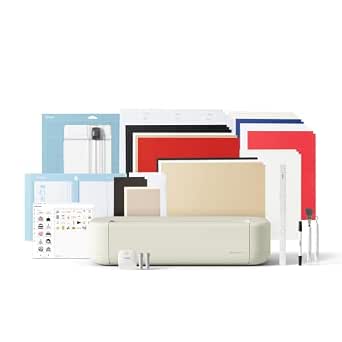 | Best for Versatile, Medium-Scale Crafting | Cutting Size: 12 inches (30.5 cm) | Color: Taupe | Materials Compatible: Vinyl, iron-on, cardstock, printable materials | VIEW ON AMAZON | See Our Full Breakdown |
| Cricut Joy Xtra Smart Cutting Machine Bundle | 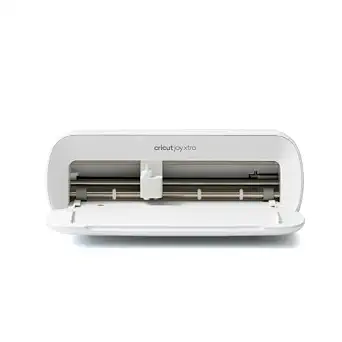 | Best for Multi-Function Personalization and Printing | Includes: Cricut Joy Xtra, Fine-Point Blade, Fine Point Pen, Mini Weeder, Welcome card, USB cable, Power adapter, Free trial Cricut Access, Practice materials, 30 bonus images | Materials Compatibility: Vinyl, iron-on, HTV, cardstock, stickers, and more | Features: Cuts, draws, foils, print-then-cut | VIEW ON AMAZON | See Our Full Breakdown |
More Details on Our Top Picks
USCutter 34-inch Vinyl Cutter Plotter with Stand and VinylMaster Cut Software
This 34-inch vinyl cutter stands out for its generous feed width and robust features, making it a top choice for small businesses producing signs, banners, and decals. Unlike the Cricut Joy models, it handles larger projects with ease, yet it doesn’t support contour cutting or advanced design features, which might limit creative flexibility. The included VinylMaster Cut software and lifetime support add value, though it’s primarily Windows-compatible, restricting Mac users. Compared to smaller cutters, this model offers higher production capacity but at a larger footprint and higher cost, making it less ideal for casual hobbyists. Its maximum cut width of 30 inches strikes a balance between versatility and practicality for small-scale commercial work.Pros:- Large 34-inch feed width for bigger projects
- Includes free VinylMaster Cut software and lifetime tech support
- Adjustable rollers and multiple connectivity options for flexibility
Cons:- No contour cutting support limits detailed designs
- Primarily compatible with Windows OS, restricting Mac users
Best for: Small business owners and hobbyists needing larger, professional-quality signage and decals
Not ideal for: Mac users or crafters seeking intricate contour cutting or compact design tools
- Feed Width:34 inches
- Cut Width:30 inches
- Max Cut Length:96 inches
- Blade Type:Roland Compatible
- Max Speed:39 in/s
- Included Software:VinylMaster Cut (Basic Edition)
Our verdict“This cutter is best suited for small businesses or serious hobbyists who prioritize project size and software support over advanced cutting features.”
Cricut Joy 2 Essential Bundle + Rainbow Sampler
The Cricut Joy 2 excels for its compact size and quick setup, making it perfect for everyday craft projects like cards, decals, and labels. Its 4.5-inch cutting width is ideal for small personalized items but limits larger projects compared to the USCutter or VEVOR models. The ability to print in full color with an inkjet printer and support for over 75 materials broadens creative options, though the reliance on Bluetooth and app-based operation might challenge less tech-savvy users. Unlike the larger VEVOR cutter, it’s designed for quick, small projects rather than bulk production. The included bundle, with supplies for many projects, compensates for its size by offering a comprehensive crafting kit.Pros:- Compact and lightweight for easy storage and portability
- Supports full-color printing with an inkjet printer
- Wide material compatibility and included project library
Cons:- Limited cutting width restricts larger projects
- Requires Bluetooth connection and app use, which may be complex for some users
Best for: Crafters who want a portable, versatile machine for small, detailed projects and personalized stickers
Not ideal for: Those needing to cut larger shapes or work on bigger projects regularly
- Weight:2 lbs
- Cutting Width:4.5 inches
- Materials Compatibility:75+ materials
- Included Content:Smart Vinyl, Smart Iron-On, Cardstock, Printable Vinyl
Our verdict“This machine is perfect for hobbyists focused on small, detailed crafts and personalized stickers, not for larger-scale projects.”
Electronic Die Cutting Machine for Cardmaking, 9-Inch Opening
This die cutting machine offers a sizeable 9-inch opening, making it ideal for cardmakers, scrapbookers, and paper artists working with A4-sized materials. Its automatic operation simplifies complex cuts and embossing, providing consistent results that manual tools can’t match. Compared to digital cutters like the VEVOR, it focuses on detailed embossing and layered paper art rather than large-scale vinyl projects. Limitations include its need for electrical power and a maximum 110V US outlet compatibility, which could restrict usage in some regions. Its built-in safety features and stability make it a reliable choice for craft enthusiasts seeking precision in paper projects.Pros:- Automatic electric operation for ease of use
- Large 9-inch opening supports A4 paper and embossing folders
- Compatible with various embossing folder thicknesses
Cons:- Requires electrical power, limiting portability
- Limited to 110V US outlets, restricting international use
Best for: Scrapbookers and cardmakers looking for an easy-to-use, automatic embossing and cutting device
Not ideal for: Crafters aiming for vinyl or large-format cutting projects, or those outside the US needing different power options
- Opening Size:9 inches
- Power Supply:110V US plug
- Compatibility:A4 paper, standard and 3D embossed folders
Our verdict“This machine is best for paper crafters who prioritize ease of use and detailed embossing over vinyl or larger projects.”
VEVOR Cutting Machine, Automatic Edge Detection Vinyl Cutter with Design Software and Materials
The VEVOR cutter is designed for precision, with ±0.1mm accuracy and speed up to 400mm/s, making it suitable for intricate signage, apparel decals, and detailed craft designs. Its automatic edge detection ensures clean, accurate cuts without manual calibration, setting it apart from simpler models like Cricut Joy. The included design software and extensive material compatibility (over 100 materials) appeal to serious DIYers and small business owners. However, the maximum cut size of 13 inches limits some larger projects, and its learning curve may be steep for beginners unfamiliar with digital cutters. Despite these tradeoffs, it offers unmatched precision for detailed craftsmanship.Pros:- High precision with ±0.1mm accuracy
- Automatic edge detection for consistent cuts
- Includes design software with a large library
Cons:- Limited maximum cut size for larger projects
- Requires some technical knowledge to operate effectively
Best for: Advanced hobbyists and small business owners needing high accuracy and material flexibility
Not ideal for: Casual users or those working on larger projects requiring bigger cutting areas
- Max paper feed width:17 inches / 450mm
- Max cut size:13 inches / 330mm
- Cutting speed:20 to 400mm/s
- Accuracy:±0.1mm
- Blade pressure levels:10
Our verdict“This cutter is ideal for craft professionals and experienced hobbyists demanding high precision and diverse material options.”
Cricut Joy 2 Deluxe Bundle, Coral
The Cricut Joy 2 Deluxe Bundle makes crafting quick and effortless with its small 4.5-inch cutting width and portable design. It supports over 75 materials and offers features like printing, drawing, foiling, scoring, and intricate cutting, making it a versatile tool for small projects like cards, labels, and decals. Compared with larger cutters like the VEVOR, its size limits larger or more complex designs but excels in quick, detailed work and portability. The included bundle provides enough supplies for dozens of projects, though additional materials and accessories can add to the overall cost. Its user-friendly app and extensive design library make it a favorite for casual crafters who want a compact, multifunctional device.Pros:- Compact and highly portable design
- Supports a wide variety of materials
- Includes a comprehensive bundle with supplies for many projects
Cons:- Limited to smaller projects due to 4.5-inch width
- Requires a mobile or desktop device for operation, adding complexity
Best for: Crafters who need a portable, versatile machine for small, detailed projects and personalized stickers
Not ideal for: Users aiming for larger projects or needing a dedicated desktop cutter for extensive production
- Cutting Width:4.5 inches
- Weight:2 lbs
- Compatibility:75+ materials
- Includes:Smart Vinyl, Smart Iron-On, Value Cardstock
Our verdict“This machine is perfect for hobbyists and small-scale crafters who value portability and versatility over size capacity.”
Cricut Joy 2 Essential Bundle + Digital Content, Blue
The Cricut Joy 2 shines as the most portable option in this lineup, making it ideal for crafters who want to create on the go or with limited space. Its compact design, weighing just over 2 pounds, ensures easy transport and storage, unlike the larger Cricut Explore 5 or Cricut Joy Xtra which offer bigger cutting areas. Despite its smaller 4.5-inch cut width, it supports over 75 materials, including printable and full-color options when paired with a home inkjet printer. This bundle includes a variety of tools and materials, making it a versatile starter for personalized projects. However, the limited cutting width can restrict larger designs, and it requires a mobile or desktop device for operation, which could add complexity. Compared to the Cricut Explore 5, this model sacrifices size for portability and simplicity, making it best suited for small, quick projects like labels or cards.
Pros:- Extremely portable and lightweight for crafting anywhere
- Supports a broad range of materials, including printable full-color options
- Includes a comprehensive bundle with tools and materials for immediate use
- Bluetooth connectivity and user-friendly interface
Cons:- Limited to a 4.5-inch cutting width, restricting larger designs
- Requires a compatible device for designing and operation, adding setup steps
Best for: Crafters who need a portable, easy-to-use machine for small, personalized projects or quick gift-making.
Not ideal for: People seeking to produce larger items or volume projects, as the limited 4.5-inch width can be restrictive.
- Cutting Width:4.5 inches (11.4 cm)
- Weight:Just over 2 lbs (0.91 kg)
- Materials Compatibility:75+ including vinyl, iron-on, printable materials, cardstock
- Included Content:Smart Vinyl, Smart Iron-On, Value Cardstock, Insert Card Sets, Printable Vinyl, 25 images, 1 font
Our verdict“This pick is perfect for hobbyists who prioritize portability and quick projects over large-scale crafting needs.”
Cricut Explore 5 Essential Bundle + Digital Content, Taupe
The Cricut Explore 5 offers a step up in size and capability compared to the Cricut Joy 2, making it a versatile option for those who want to tackle a broader range of projects, from decals to apparel. Its 12-inch cutting size allows for larger designs, a clear advantage over the smaller Cricut Joy 2, though it still remains compact enough for home use. The Explore 5 supports over 100 materials and includes tools like a snap-in pen holder, offering extensive creative flexibility. While the deep cutting tool is sold separately, the bundle includes enough content and tools to start creating right away. Setup can be a bit involved, especially for new users, and a subscription is needed for full content access. Compared to the Cricut Joy 2, this machine is better suited for medium-scale projects and users who want more material compatibility without sacrificing too much space.
Pros:- Larger 12-inch cutting capacity for bigger designs
- Supports a wide range of over 100 materials and multiple tools
- Stylish, user-friendly interface with Bluetooth wireless operation
- Includes extensive bundle content for immediate crafting
Cons:- Deep cutting blade sold separately, adding extra cost
- Setup and initial learning curve can be challenging for newcomers
- Requires subscription for full access to additional content
Best for: Crafters seeking a versatile, mid-sized machine capable of handling a variety of projects at home with room for growth.
Not ideal for: Total beginners who prefer simple, plug-and-play devices or those with minimal space for larger equipment.
- Cutting Size:12 inches (30.5 cm)
- Color:Taupe
- Materials Compatible:Vinyl, iron-on, cardstock, printable materials
- Tools Included:Snap-in pen holder, Smart Vinyl, Smart Iron-On, Value Cardstock, Printable Vinyl, Insert Card Sets
- Projects Included:Up to 65 projects, 25 premium images, 1 font
Our verdict“This model fits users wanting a more capable, mid-sized machine for diverse projects without the bulk of larger cutters.”
Cricut Joy Xtra Smart Cutting Machine Bundle
The Cricut Joy Xtra elevates crafting versatility with its ability to cut, draw, foil, and print-then-cut over 50 materials, surpassing the basic functions of the Cricut Joy 2 and the Explore 5. Its support for print-then-cut designs and foil application makes it ideal for detailed, full-color projects and personalized embellishments. The bundle includes essential tools, a digital content library with over 1.5 million images and 100,000 projects, and a user-friendly interface that caters well to crafters of all experience levels. However, full access to the content library benefits from an optional subscription, and its material compatibility is somewhat limited compared to larger, more specialized cutters. Compared to the Explore 5, the Joy Xtra emphasizes multifunctionality and design complexity, perfect for creative, personalized projects, though with some setup complexity.
Pros:- Supports cutting, drawing, foiling, and print-then-cut functions
- Compatible with over 50 materials, including specialty options
- Includes a rich digital library with millions of images and projects
- Supports full-color and embellishment projects
Cons:- Requires optional subscription for full content library access
- Initial setup and software learning curve can be complex
- Limited to specific materials, less suited for very large projects
Best for: Crafters who want a highly versatile machine capable of print, cut, foil, and drawing for personalized, detailed designs.
Not ideal for: Beginners or casual users who prefer a straightforward, single-function device with minimal setup or subscription requirements.
- Includes:Cricut Joy Xtra, Fine-Point Blade, Fine Point Pen, Mini Weeder, Welcome card, USB cable, Power adapter, Free trial Cricut Access, Practice materials, 30 bonus images
- Materials Compatibility:Vinyl, iron-on, HTV, cardstock, stickers, and more
- Features:Cuts, draws, foils, print-then-cut
- Design Software:Design Space
- Digital Content:Over 1.5 million images, 1,000+ fonts, 100,000+ projects
Our verdict“This machine is best suited for creative crafters who want multi-functionality and extensive digital content for personalized projects.”

How We Picked
These products were evaluated based on performance, usability, build quality, software compatibility, and value for money. We prioritized models that effectively balance ease of use with versatile features, ensuring they suit a range of craft projects. Size and portability were also considered, as well as the availability of digital content and support. The ranking reflects overall usefulness for different types of crafters, from beginners to advanced users, with a focus on real-world practicality and long-term value.Factors to Consider When Choosing Cutting Machine For Crafts
Choosing the right cutting machine for crafts depends on your specific needs, workspace, and skill level. It’s important to consider factors such as cutting size, material compatibility, and software ecosystem. Understanding these elements helps you avoid common pitfalls, like overpaying for features you won’t use or selecting a machine that can’t handle your typical projects. This guide highlights key aspects to keep in mind, so you can make an informed decision that aligns with your crafting goals.Cutting Size and Material Compatibility
One of the most critical factors is the maximum cutting size, which determines how large your designs can be. Larger cutters like the USCutter excel for bigger projects, but they often take up more space and can be less portable. Material compatibility also varies; some machines handle thicker materials like leather or chipboard, while others are limited to paper and vinyl. Consider what types of projects you most frequently undertake to choose a machine that can keep up with your creative ambitions.
Ease of Use and Learning Curve
For beginners, intuitive interfaces and straightforward setup are essential. Machines with dedicated software that guides you through design and cutting steps reduce frustration and speed up productivity. Advanced features like automatic blade adjustment or touchscreens can enhance ease of use but may increase the learning curve for new users. Balance your comfort with technology against your desire for advanced capabilities to find the best fit.
Software Ecosystem and Digital Content
The software that accompanies your cutter shapes your creative potential. Some brands, like Cricut, offer extensive design libraries and seamless integration, making it easier to produce professional-looking projects. Others may require third-party software, which can be less intuitive but more flexible. Think about whether you prefer a dedicated, user-friendly platform or are comfortable with more complex design tools for greater creative control.
Size, Portability, and Workspace Needs
Smaller, compact cutters like the Cricut Joy are perfect for limited spaces or crafting on the go. Larger models provide more cutting area but demand dedicated workspace and can be more cumbersome to move. Consider your available space and whether portability is a priority. Also, note that larger cutters often come with heavier, more durable construction, which can influence setup and storage options.
Price and Long-term Value
Prices vary widely across the spectrum, from budget options to premium machines with advanced features. While cheaper models can meet basic needs, they might lack durability or versatility for more complex projects. Investing in a slightly higher-priced machine can offer better build quality, expanded features, and software support, ultimately providing more value over time. Balance your immediate budget with your long-term creative goals.
Frequently Asked Questions
Can I use third-party materials with these cutting machines?
Many cutting machines support third-party materials, but compatibility can vary depending on the model and software. For example, Cricut machines are designed primarily for Cricut-branded materials but generally work well with other vinyls, papers, and specialty materials. Larger cutters like USCutter often have more flexible settings, making them suitable for various materials, including thicker or specialty options. Always check the manufacturer’s specifications and recommended settings to ensure safe and effective use with your preferred materials.
Are these machines suitable for professional-level projects?
Some models, such as larger vinyl cutters or those with advanced software, are capable of handling professional projects, especially when paired with high-quality materials and precise settings. However, most craft-oriented machines are designed for hobbyists and small-scale projects. If you need commercial-grade capabilities, look for models with higher cutting force, larger workspace, and robust software. For casual or semi-professional use, the options in this roundup provide a good balance of quality and affordability.
How difficult is it to learn to operate these machines?
Ease of learning depends on the machine’s interface and your familiarity with digital tools. Many models, like Cricut, come with user-friendly software and extensive tutorials, making them accessible for beginners. However, some larger or more complex cutters may require a steeper learning curve, especially when adjusting settings for different materials. Investing time in tutorials and practice can significantly reduce the initial frustration and help you produce quality projects faster.
What maintenance do these cutting machines require?
Regular maintenance mainly involves cleaning the blades, ensuring the cutting mats stay in good condition, and updating the software when necessary. Some machines have replaceable blades that need periodic swapping after extensive use. Proper storage and handling can extend the lifespan of your cutter, especially for more robust models. Following manufacturer guidelines for cleaning and maintenance helps keep your machine performing reliably over time.
Is a more expensive cutter always better for my needs?
Not necessarily. Higher-end cutters typically offer larger cutting areas, more advanced features, and greater durability, which are valuable for frequent or professional use. However, for casual crafters or those just starting, a more affordable model may be sufficient and easier to learn. Assess your project scope, frequency, and workspace before investing; sometimes, a mid-range or budget model provides the best balance of features and value for your specific needs.
Conclusion
For those new to crafting or working with small projects, the Cricut Joy 2 Essential Bundle offers a straightforward, affordable entry point. If you demand a versatile machine capable of handling larger projects with advanced design options, the Cricut Explore 5 remains the best overall choice. Budget-conscious crafters will appreciate the value offered by the Cricut Joy bundles, while professionals or serious hobbyists might prefer the durability and size of the USCutter Vinyl Cutter. Ultimately, your choice should align with your project scale, workspace, and budget—making it easier to create with confidence in 2026.